How maildigi works
maildigi connects your business address to the personal inbox you already use. Here is what happens to each message.
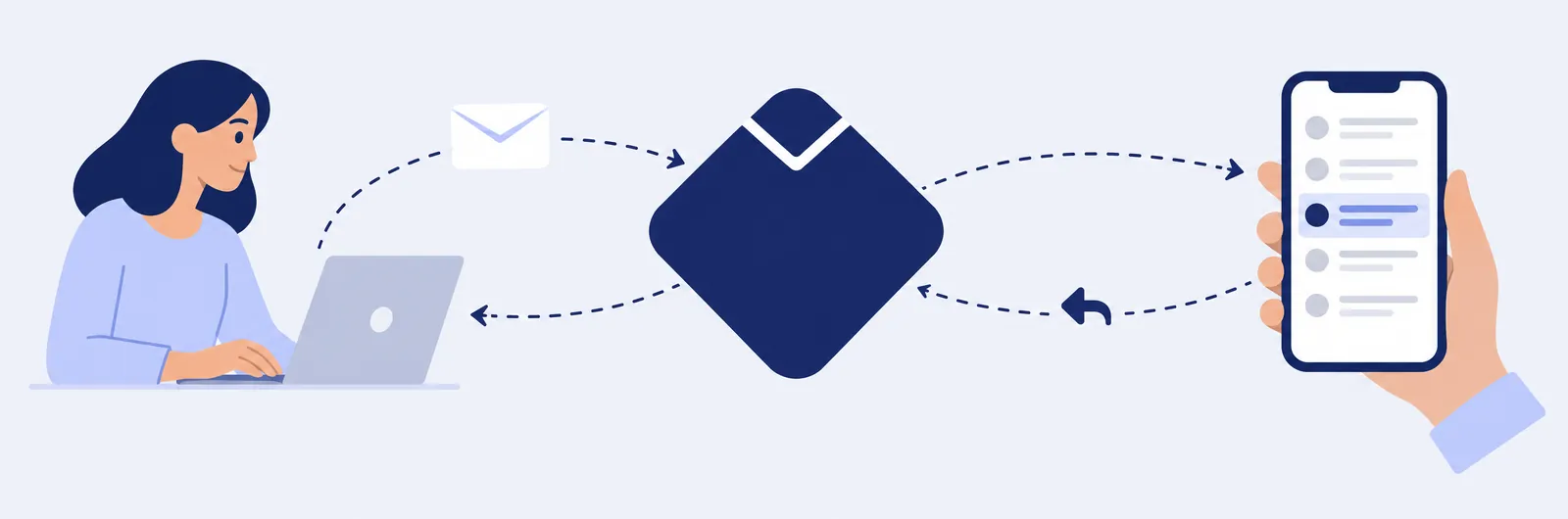
Incoming email
When someone writes to your business address, maildigi checks the message and delivers it to your personal inbox. In your inbox the sender appears as their name and their own address, for example Maria Keller (maria@client-example.com). Subject, text, images and attachments arrive as they were sent.
The message reaches you through the forwarding address relay@maildigi.com. Add this address to your contacts so that your inbox recognises it.
Replying
Press Reply in your email app and write as usual. maildigi receives your reply, confirms that it really comes from your registered personal address, and sends it to your contact from your business address. The quoted part of the conversation is cleaned, so your personal address does not appear in it.
Replies through your business address are available when the sender’s email can be verified. Almost all business and consumer email services support this. If a sender cannot be verified, you still receive the message, but your reply goes directly from your personal address. Automatic messages, such as out-of-office replies and newsletters, are handled the same way.
Large attachments
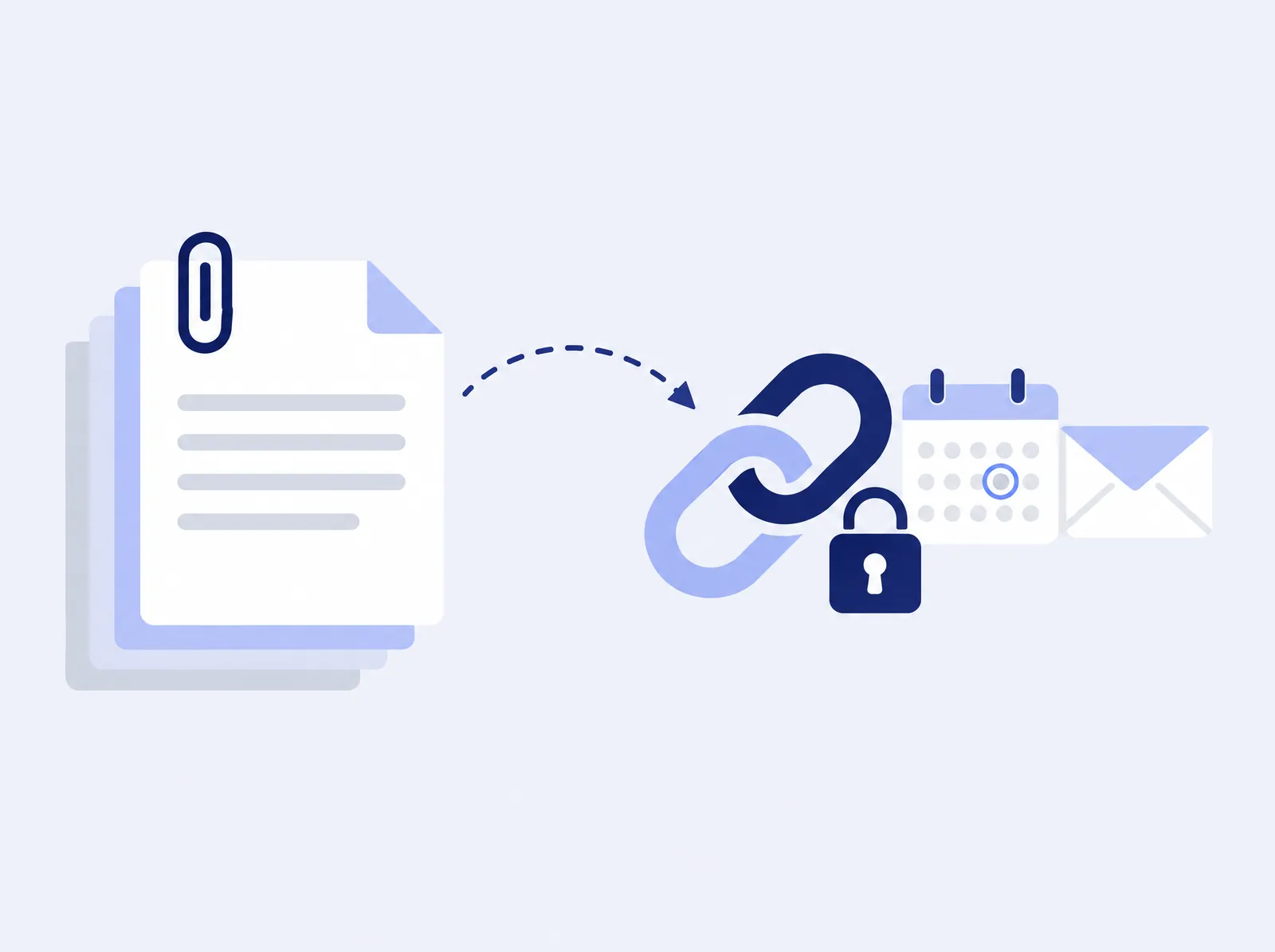
An email can be up to 25 MB, but it can be delivered onward in one piece only up to 5 MB. When a message is larger, maildigi moves the attachments to encrypted storage and adds a box with download links at the top of the message. The links work for 14 days. This also applies to your replies: if you send a large file, your contact receives a link.
Limits
- Incoming: up to 300 messages per day for each business address.
- Replies: up to 50 per day and 20 per hour.
- Message size: up to 25 MB in total. Above 5 MB, attachments are sent as links.
- Each reply goes to one person: the contact who wrote to you.
What maildigi does not do
- It does not create a mailbox. Your messages stay in your own inbox.
- It does not send new emails from your business address. You can reply to messages you have received.
- It does not send newsletters, advertising or bulk email.
- It does not add anything to your messages, except the download box for large files.
Want maildigi for your business?
Write to us with your domain name and the personal address you want to use. We will tell you how to get started.